
Your list, on everystudent’s screen
Wordy shows one word at a time over whatever a student is doing, and brings it back before it is forgotten. Teachers get it free. Students get it cheaper.
Request a teacher accountOne email is enough. We reply within a couple of working days with your free Pro account and a class code.
Build the list once
The hard part of vocabulary is not the explanation. It is the fifteen quiet repetitions over the next two weeks, and Wordy takes that part off your hands.
- Export your list as a file. A spreadsheet, a CSV or a plain text file with a word and a translation per line is enough. Or describe the topic and let Wordy Helper draft the list for you.
- Students import it in one click. Share the file the way you always do: the class chat, the LMS, email. Each student drops it into Wordy, and the words land in a group with the right language pair.
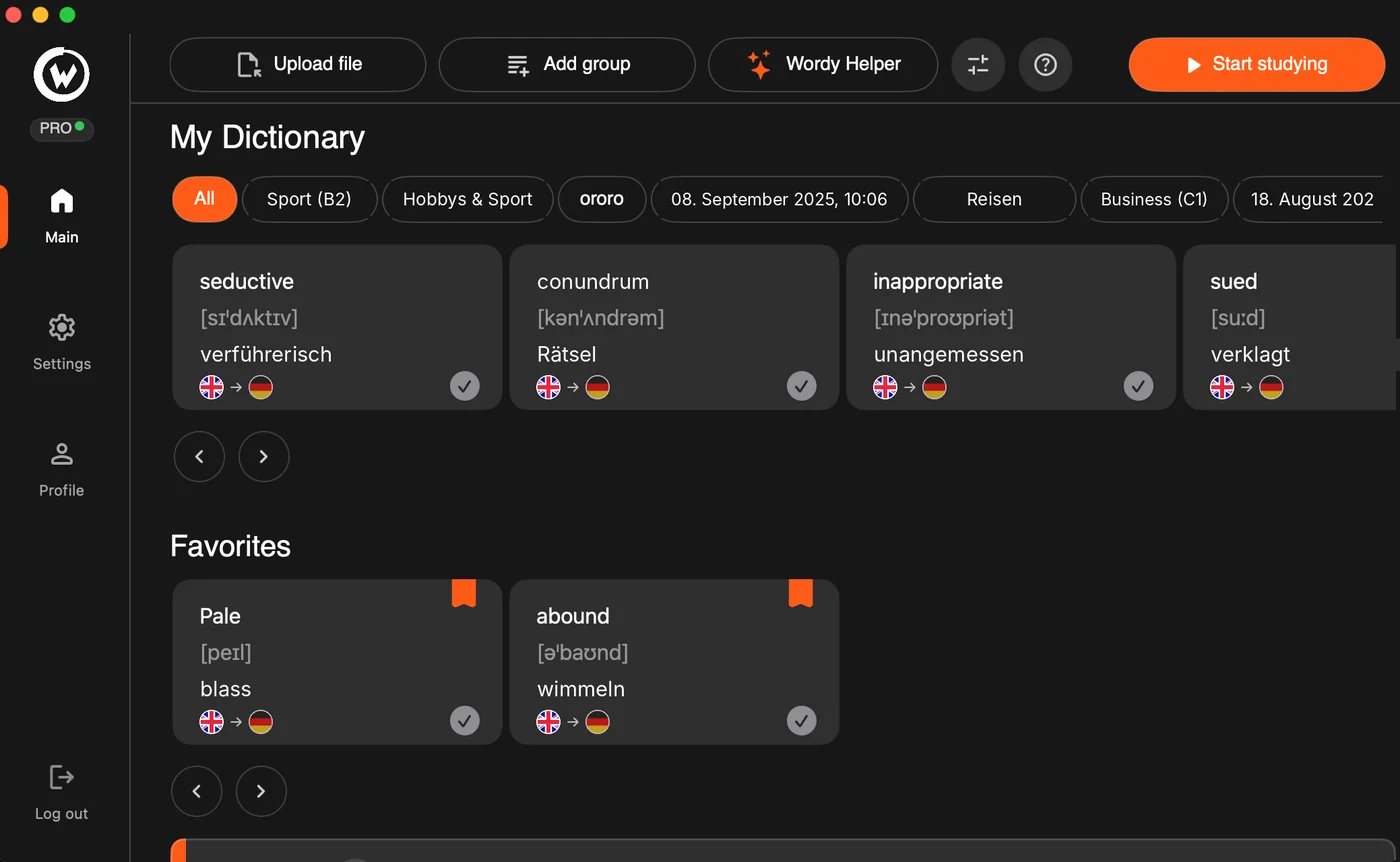
- The words come back on their own. While students write essays, browse or do homework, a card slides in with one word. One glance, one tick. Spaced repetition decides when it shows up again.
Why it holds in a class
It fits around homework
No extra session to schedule. The cards appear inside time students are already spending at the computer, so the habit costs them nothing.
Any language pair
More than twenty languages, with the direction set per group. English to Serbian for one class, German to English for another, in the same app.
Your list, your order
Students see the words you chose, grouped the way you grouped them. Nothing generic, no pre-made decks to wade through.
Teachers usually ask
Who counts as a teacher? Anyone who teaches a language to a group: school and university teachers, tutors, language-school staff, people running a club or a course. If in doubt, write and tell us what you do.
What do I need to send? Your name, where you teach, which language, and roughly how many students. A school email address helps but is not required. We do not ask for documents.
Does the student discount expire? The code applies to the first purchase each student makes with it. A discounted Year plan renews at the regular price unless the student enters the code again, which they can do while you are still teaching them.
Can I see my students’ progress? Not yet. Wordy is a personal app, and each student’s dictionary is their own. A class view is on the roadmap; tell us if it matters to you and we will let you know when it lands.
My students are on Windows or phones. Wordy is Mac-only for now, so the offer is most useful where students work on Macs. Windows is the next platform. Leave your email on the home page and we will write when it is ready.
Can my school pay for the whole class? Yes. Write to us with the number of students and we will send an invoice from ARMA OUTDOOR d.o.o., the company that publishes Wordy, and a set of codes.