
The wordscome to you
One word on your Mac screen, a few times an hour. Tick it and carry on.
Join the waitlistEvery vocabulary app has the same flaw. You have to remember to open it.
Streaks, badges and reminders all exist to solve one problem: getting you back into the app. Miss two days and the pile of due cards is big enough to put you off a third.
Wordy takes the problem away instead. A small card appears over whatever you are doing, with one word and what it means. You tick it. It is gone. Three seconds, a few times an hour, for as long as your Mac is awake.
There is no session to skip, so there is no pile to come back to. The words keep arriving, and the ones you keep getting right arrive less and less often.
First, get the
words in
Then they arrive,
all day
They come back
on time
Upload a list you already keep, describe a topic and let Wordy Helper build one, or type words in one at a time. Sort them into groups however you like. This is the only part you do.
A small card appears over your work with the word and what it means. Tick it and it disappears. Star the ones worth keeping close.
Spaced repetition decides when you see each word again, based on how you answered: often at first, then further and further apart as it sticks.
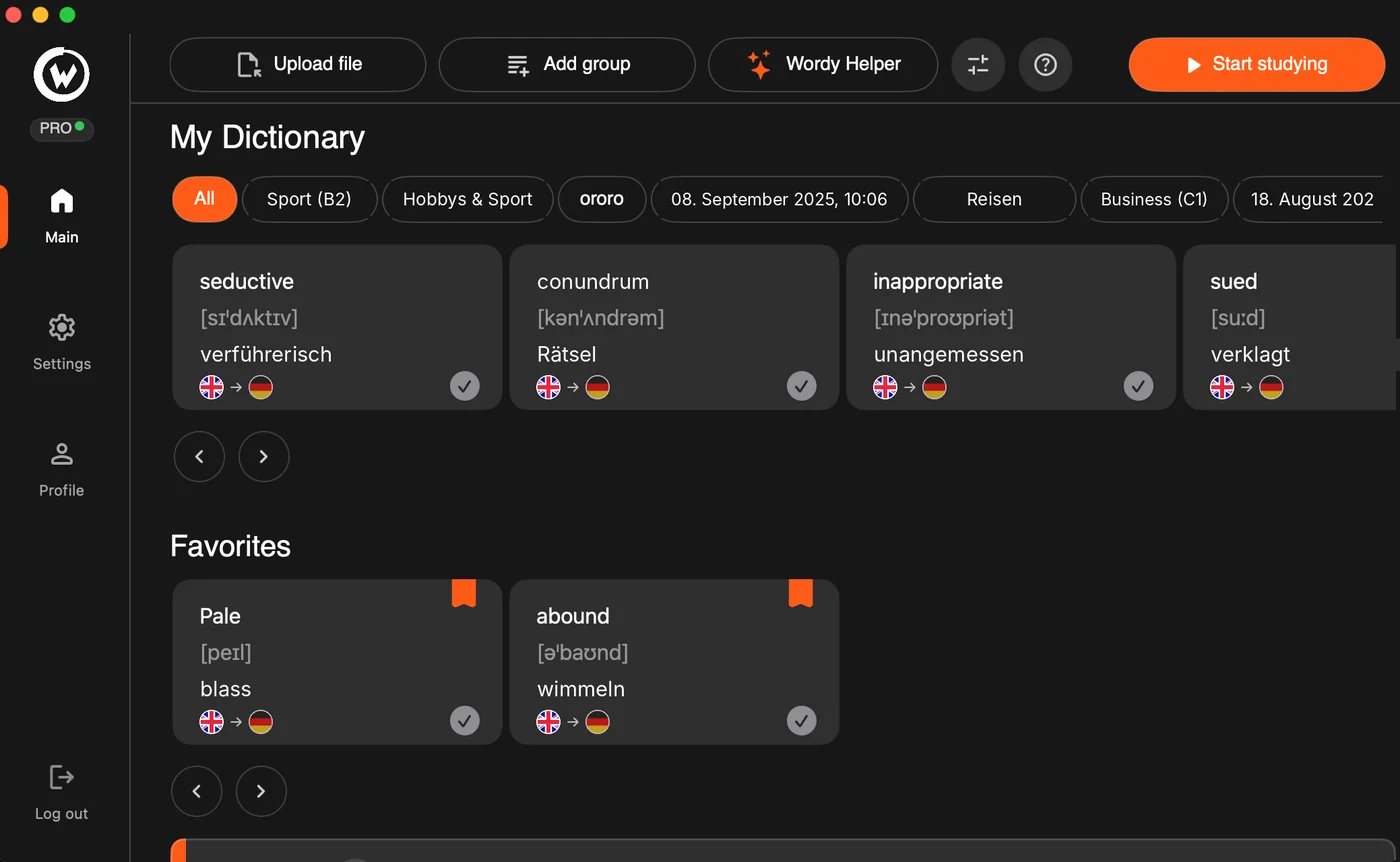
Everything you are learning, on one screen. Every card carries the word, its transcription, the meaning and which way you are translating.
Business, irregular verbs, a language you just started. Name the groups however makes sense to you, and drag one in when you want its words to start arriving.
The words that keep escaping you, one tap away. Star a card as it arrives and it waits for you here.
Upload a file, add a group and type, or describe what you need and let Wordy Helper build the list with translations and transcriptions.
Four things you decide
Change one here and the card on your screen follows at once.
Which language is arriving
Six to try here, more than twenty in the app.
Which way you are translating
Chosen per group, so one group can show you the foreign word and another the English.
Which groups are in rotation
Only these arrive. Everything else waits in the library until you move it in.
Which words you keep close
Star a card as it arrives and it joins your favourites. Try it on the card, or here.
Questions
When can I use it? Wordy is in private beta. Leave your email and you get an invite as places open up. Nothing is charged while the beta runs.
What does it run on? A Mac. Wordy is a small desktop app: install it once, sign in, and it stays in the background. There is no Windows or Linux version yet. The download page has the details.
Where do the words come from? Three ways, and you can mix them: upload a list you already keep, describe a topic and let Wordy Helper build one, or add words yourself. Every entry carries the word, its transcription and its meaning.
Which languages does it cover? More than twenty, and you choose the direction per group, so one group can be English to Russian while another is Swedish to English.
Will it interrupt me all day? A card is one line and one tick, and only the groups you have put in rotation are shown. Everything else sits in your library until you move it in.
Does it need to be online? Pro includes an offline mode, so the cards keep arriving on a train or a plane.
What does the free plan cover? One language and 50 new words a month, with the cards working exactly as they do on a paid plan. Enough to tell whether the habit takes.
I teach. Is there something for my class? Yes. Write to hello@wordytrainer.com from your school address: you get a Pro account free, and a class code that gives your students 30% off. The page for teachers explains how it works in a class.
Can I cancel? Pro is month to month. Cancel whenever, and keep going on the free plan.
Who makes it? Wordy is made by ARMA OUTDOOR d.o.o. in Belgrade. Anything else, write to hello@wordytrainer.com.