
Wordyfor Mac
Install it once. It stays in the background and drops a word onto your screen a few times an hour.
Get a beta inviteIn private beta: leave your email and you get an invite as places open up. macOS 13 or later, Apple silicon and Intel.
Three steps, one minute
- Open the .dmg and drag Wordy to Applications. If macOS asks whether you are sure, choose Open. Wordy is signed and notarised, so there is nothing to allow in System Settings.
- Sign in and pick your language pair. Create an account or sign in with the email you used for the beta. The free plan is on by default: one language, 50 new words a month.
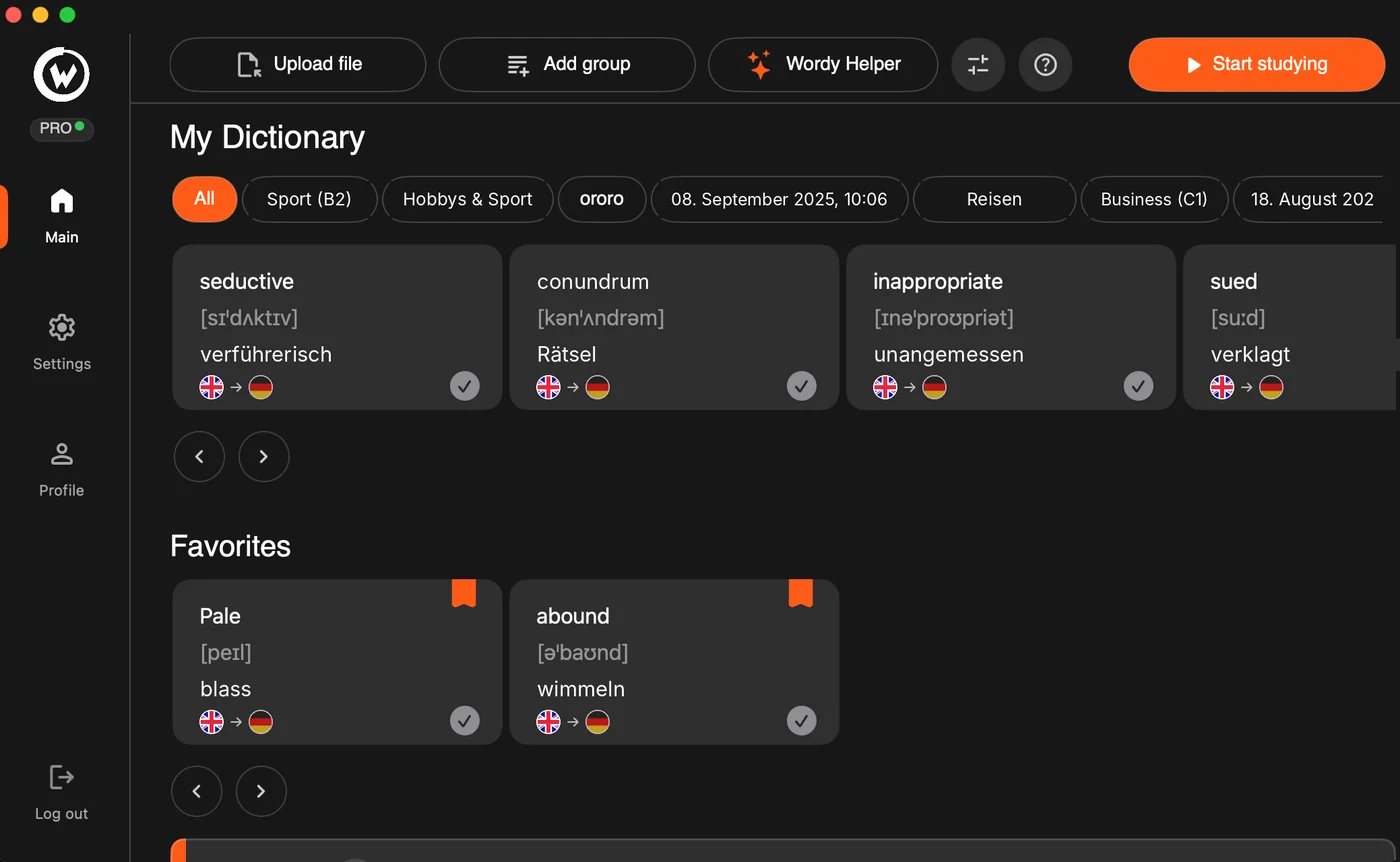
- Add a list and put a group in rotation. Upload a file, let Wordy Helper build a list from a topic, or type words in. Move a group into rotation and the first card appears on its own.
What it needs and what it does
Requirements
macOS 13 Ventura or later, on Apple silicon and Intel Macs. You need to be online to sign in, to sync and to use Wordy Helper; on Pro the cards keep arriving offline.
In the background
Wordy lives in the menu bar. It shows one small card on top of whatever you are doing, waits for your tick, and disappears. No full-screen takeovers, no sounds unless you turn them on.
Updates
Wordy checks for updates itself and installs them on the next launch. The latest build is always on this page.
Before you install
Is there a Windows or Linux version? Not yet. Wordy is Mac-only for now, and Windows is the next platform on the list. Leave your email below and you will hear the moment it is ready.
Is there an iPhone or Android app? No. Wordy is built around the desktop: it works because you are already sitting at a computer for hours, and the cards slip into that time. A phone app would be a different product.
macOS says the app is from an unidentified developer. That should not happen with the current build, which is signed and notarised. If you see it anyway you probably have an older file: download again from this page. If it persists, write to hello@wordytrainer.com with your macOS version.
How do I uninstall it? Quit Wordy from the menu bar icon, then drag it from Applications to the Bin. Your dictionary stays in your account, so reinstalling later brings everything back.
Do I need to pay to download? No. The download is free and the free plan has no time limit. Pro unlocks unlimited languages and words whenever you want them, for €2.99 a month or €24.99 a year.